(This article consolidates Ivan Drucker’s emulator reviews published in the December 2020, 2021, 2022, 2023, and 2024 issues of Juiced.GS. For full reviews of newer emulators not reviewed here, plus updated reports for the latest versions of the emulators reviewed below, please see the December 2025 issue!)
- The Best Apple II Emulators
- AppleWin (IIe; for Windows)
- AppleWin on Linux (IIe; for Windows)
- CrossRunner (IIGS; for Windows)
- KEGS (IIGS; for Windows, macOS, Linux)
- Mariani (IIe; for macOS)
- Virtual II (IIe; for macOS)
- Good Apple II Emulators
- ActiveGS [standalone desktop version] (IIGS; for Windows)
- Agat (IIe; for Windows)
- Ample (IIe and IIGS; for macOS)
- Apple in PC (AIPC) (IIe; for Windows)
- Clemens (IIGS; for Windows, macOS, Linux)
- microM8 (IIe; for Windows, macOS, Linux)
- MII (IIe; for Linux)
- OpenEmulator (IIe; for macOS)
- For Technical Users
- Web-based Emulators
- Other Apple II Emulators
- ApplePi (IIe; for Linux)
- Clock Signal (IIe; for macOS)
- AccurApple
- JACE
- The Unreviewed
If you want to use an Apple II software on a modern computer, then you need an emulator: a virtual Apple II, recreated in software. Its hardware components, from the 6502 on up, are mimicked, as part of an application written for a modern machine. Disks are represented as “image files” containing their data, and, while running in an emulator, Apple II software has no awareness that it’s not running on the real thing.
The Apple II community is graced with almost absurd number of emulator choices for Mac, Windows, Linux, and mobile operating systems, and we’re here to tell you what we think about them. To make the cut, the titles we review must emulate at least enhanced Apple IIe or IIGS, and run on current versions of major operating systems, and which have been updated since 2010 or later. Releases for Windows and macOS must have ready-to-run binary executables (building from source on Linux is okay). All but one title are free of cost. Most titles are open source; I’ve noted those that aren’t.
All macOS titles are native for both newer Apple silicon and older Intel-based machines unless otherwise noted; Intel-only titles will run in translation on Apple silicon models. macOS 15 Sequoia users who receive a warning that the application cannot be opened because it can’t be verfied will need to cilck Done, then open Apple Menu > System Settings > Privacy & Security, and then click the “Open Anyway” button; earlier macOS versions instead require that you control-click the application, choose Open from the menu, and then choose Open from the subsequent warning dialog.
For Windows titles, users with high DPI displays may need to adjust compatibility settings of the emulator’s EXE file by viewing its properties in Windows Explorer.
This revision of the original December 2020 article incorporates the December 2021 through December 2024 update articles, bringing all reviews current as of then. Editorial changes have been made as well.
The Best Apple II Emulators
AppleWin

- Platform: Windows (plus independent macOS and Linux variants)
- Models emulated: Apple II, II Plus, IIe (U), IIe (E); foreign variants; clones
- Image support: DSK, PO, HDV, 2MG, NIB, WOZ, ZIP, GZ
- Status: actively developed (v1.30.20.0, released November 16, 2024)
- Authors: Tom Charlesworth, Nick Westgate, Michael Pohoreski, et al
- Available from: https://github.com/AppleWin/AppleWin/releases
- macOS variant: https://github.com/sh95014/AppleWin/
- Linux variant: https://github.com/audetto/AppleWin/
The pre-eminent 8-bit Apple II emulator for Microsoft Windows is AppleWin, whose origins date all the way back to 1994. AppleWin is straightforward, with a compact interface, nearly unchanged from its Windows 3.1 beginnings. It offers accurate emulation, including a variety of simulated monitor styles, and a robust assortment of useful virtual hardware items, pre-assigned to their typical slots in an Apple II. Included are four 5.25″ floppy drives, two hard drives, and a SmartPort for up to 8 more hard drives (unfortunately, like many AppleWin capabilities, some of these are only available from the command line); Mockingboard (with speech, unlike most emulators), Phasor, and SAM sound cards; a CP/M card; an Uthernet I or II network card; a Super Serial card (which can communicate either with a real Windows serial port, or via TCP); a mouse; SNES MAX and 4Play game controller cards, and a parallel printer card. No actual printer is emulated; output is sent to a Windows text file. Unfortunately, the window size is not arbitrarily scalable.
Many more hardware configuration options are available by launching AppleWin from a command prompt or batch file, or by appending the appropriate command line switches to the target of a Windows shortcut. While not all of these are of everyday interest, it’s unfortunate that this method is required for potentially desirable configurations, such as more than 128K of memory, two hard drives, or a default peripheral card removed from its slot. It would benefit AppleWin if some of the command line launch options were added to its configuration window. It’s nice to have them exist at all, but it’s notable that its macOS offshoot, called Mariani, makes many of these options easily accessible from its graphical interface.
AppleWin provides integration with the essential Apple II disk image utility CiderPress, which eases exchanging files between Windows and the emulated Apple II. The emulated machine state can be saved, and the CPU can be accelerated. For Apple II programmers, AppleWin includes a powerful debugger. Reading the included help file is highly recommended to learn about all the emulator’s capabilities and how to access them. Don’t overlook what’s available from the command prompt. The help contents are also available on the Web.
For Windows users wanting to emulate an Apple II, AppleWin does what it does very well; macOS and Linux users may also wish to check out the variants available for those platforms, reviewed here separately.
AppleWin on Linux

- Platform: Linux
- Models emulated: Apple II, II Plus, IIe (U), IIe (E); foreign variants; clones
- Image support: DSK, PO, NIB, HDV, 2MG, WOZ, ZIP
- Status: actively developed (commit 7f9563b [based on AppleWin 1.30.20.0], November 16, 2024)
- Author: Andrea Odetti
- Available from: https://github.com/audetto/AppleWin/
Linux has a shortage of excellent 8-bit Apple II emulators, so it is more than welcome that the most capable emulator for Windows, AppleWin, has been independently ported to Linux. It must be built from source. Official releases and version tags are infrequent, with the last one being from mid 2023, but development is ongoing, and the author attempts to maintain feature parity with the main AppleWin project. I had no difficulty building the current repository source code, at the time of this writing, under Debian Bookworm. The virtual hardware is more or less the same as that offered by AppleWin for Windows; please refer to that review, and that emulator’s documentation, to get a greater sense of what this Linux variant can do.
Confusingly, this title goes by the name “AppleWin on Linux,” and its user interface is different than AppleWin’s, making it feel like a different product. In fact, AppleWin on Linux is a curious beast, in that you get your choice of four different user interfaces, each of which has its own look, feel, and distinct capabilities. (That’s very Linux!) Once built, these different front-ends are invoked via separate binary commands to start the emulator. The “sa2” command (pictured at upper left) uses SDL graphics, and unlocks the most capability, including AppleWin’s extensive debugger. The “qapple” command (pictured at lower left) presents a cleaner looking interface, but does less. The “applen” command (pictured at right), which uses the curses text rendering library, is fascinating, as it emulates the Apple II entirely as text, even displaying graphics by converting them to different shades of text blocks! That also permits emulating an Apple II through a text-only interface such as a terminal window. Finally, there is a RetroArch interface (not pictured), which I don’t really understand, so I won’t say more about it here.
AppleWin on Linux, because of its heritage, now presents itself as the most capable, accurate, and powerful 8-bit emulator for Linux, and while none of its front-ends are going to win beauty contests, they do give you the opportunity to see which you like. I highly recommend it. It’s not trivial to use, but it shouldn’t be difficult for Linux users; and it’s certainly easier than MAME, which is the only other current 8-bit emulator for Linux that approaches the depth of features on offer.
CrossRunner
- Platform: Windows
- Status: actively developed (v1.02 released January 6, 2024)
- Models emulated: IIGS (ROM 01 and 3)
- Image support: DSK, PO, NIB, HDV, 2MG, WOZ
- Author: Ian Brumby
- Available from: https://www.crossrunner.gs/
New Apple IIGS emulators are always welcome, as they aren’t nearly as many of them as there are 8-bit emulators. Crossrunner is a truly excellent new Apple IIGS emulator for Windows users, with features of particular interest for current-day Apple IIGS software developers. Its author claims the original hardware is emulated at lower level than previously existing IIGS emulators, allowing for superb accuracy, and that developers can have confidence that what they see in Crossrunner will be the same as what will appear on the real thing.
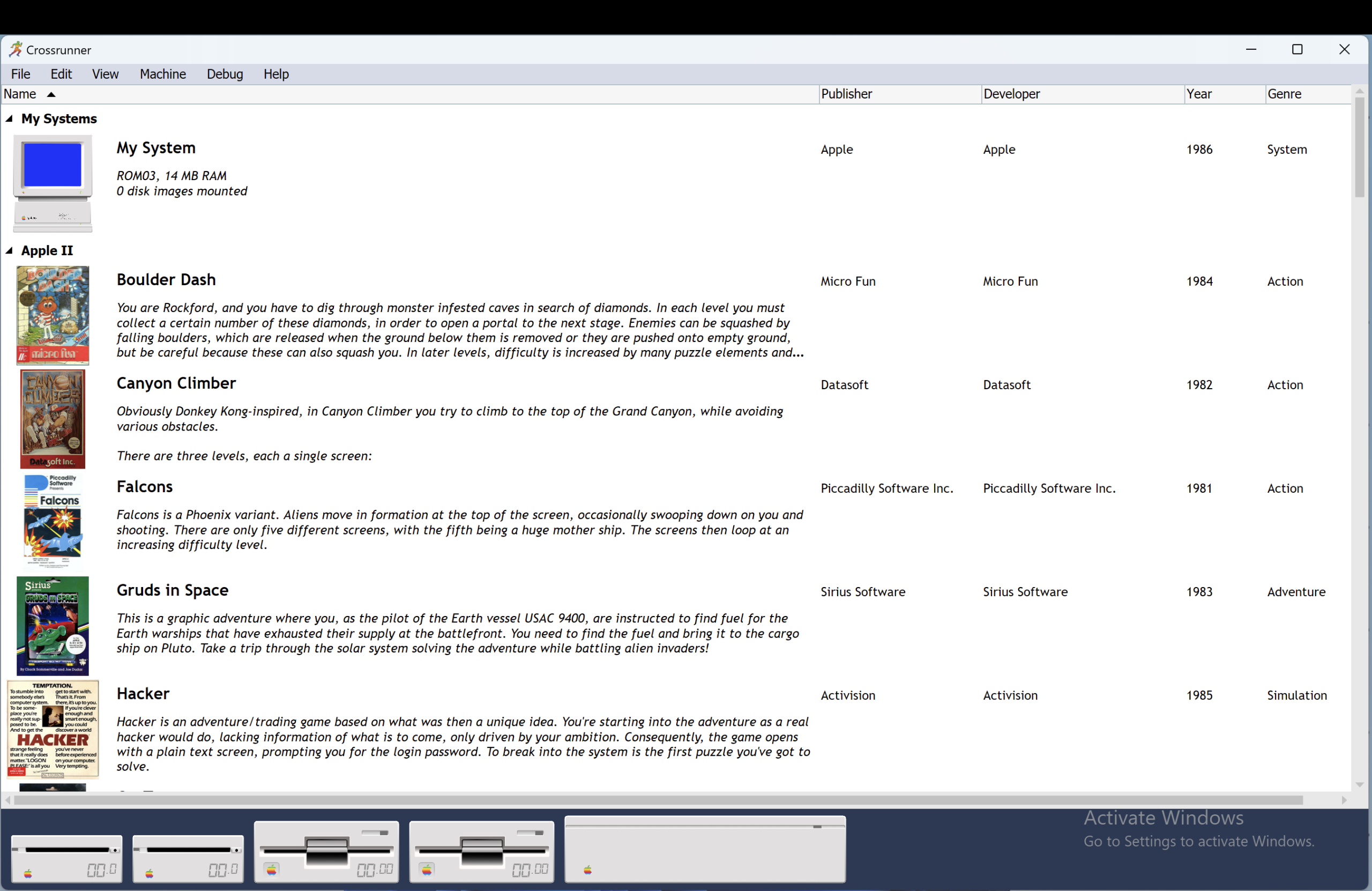
When used simply as an Apple IIGS emulator (as opposed to a development tool), Crossrunner has some very appealing features, such as a visual library with all of your configured machines and favorite software. Better still, Crossrunner will use online resources to obtain the software art and description to go with the software titles, when possible. You can even search for and download software by title, author, company, and year — but note that searches are case sensitive, and offer no feedback when nothing is found. In terms of hardware, Crossrunner emulates most of what the IIGS has to offer, plus Mockingboard, and modern niceties such as SNES MAX and Uthernet II cards. It is explicitly possible to use an XBox controller for a joystick. Happily, you can save and restore your machine state.
For Apple IIGS software developers, which I am not, I imagine Crossrunner must be a blessing. Not only does it offer an extremely capable 65816 debugger — the effort that went into it is plainly visible — but it will also you help debug code written in C or Pascal, offering integration with ORCA and Merlin development tools. Further, if you can provide it with IIGS ROM source code (it’s around), it will appear when looking the IIGS ROM — no other emulator offers anything like this. Crossrunner also lets you write scripts to control it, using the Wren scripting language. All of these powerful features are thoroughly documented in the excellent Crossrunner manual.
Crossrunner was highly anticipated after a long private beta period, and was finally made available at the end of 2023. A couple of quick bug fix releases were quickly issued, but as of January 2024 there have been no further updates. The Web site states that a beta Mac and Linux version would be available in 2024, but this has not yet surfaced. An ARM version for Windows computers with that chip architecture, or current-day Mac computers running virtualized Windows, is available.
Crossrunner does have some rough edges, such OK and Cancel buttons on the software search page that only work if you click them at the very bottom, and a tendency for menus to sometimes be drawn in black. But for Windows users, and perhaps even Mac and Linux users who are set up to run Windows, Crossrunner is a best in class Apple IIGS emulator, offering a fluid, realistic, and enjoyable emulation experience.
KEGS (including GSport and GSplus)
- Platform: macOS, Windows, Linux
- Status: actively developed (v1.34 released January 15, 2024)
- Models emulated: IIGS (ROM 01 and 3)
- Image support: DSK, PO, NIB, HDV, 2MG, WOZ, SDK, ZIP, GZ
- Author: Kent Dickey
- Available from: https://kegs.sourceforge.net/
- GSport: https://david-schmidt.github.io/gsport
- GSplus: https://apple2.gs/plus
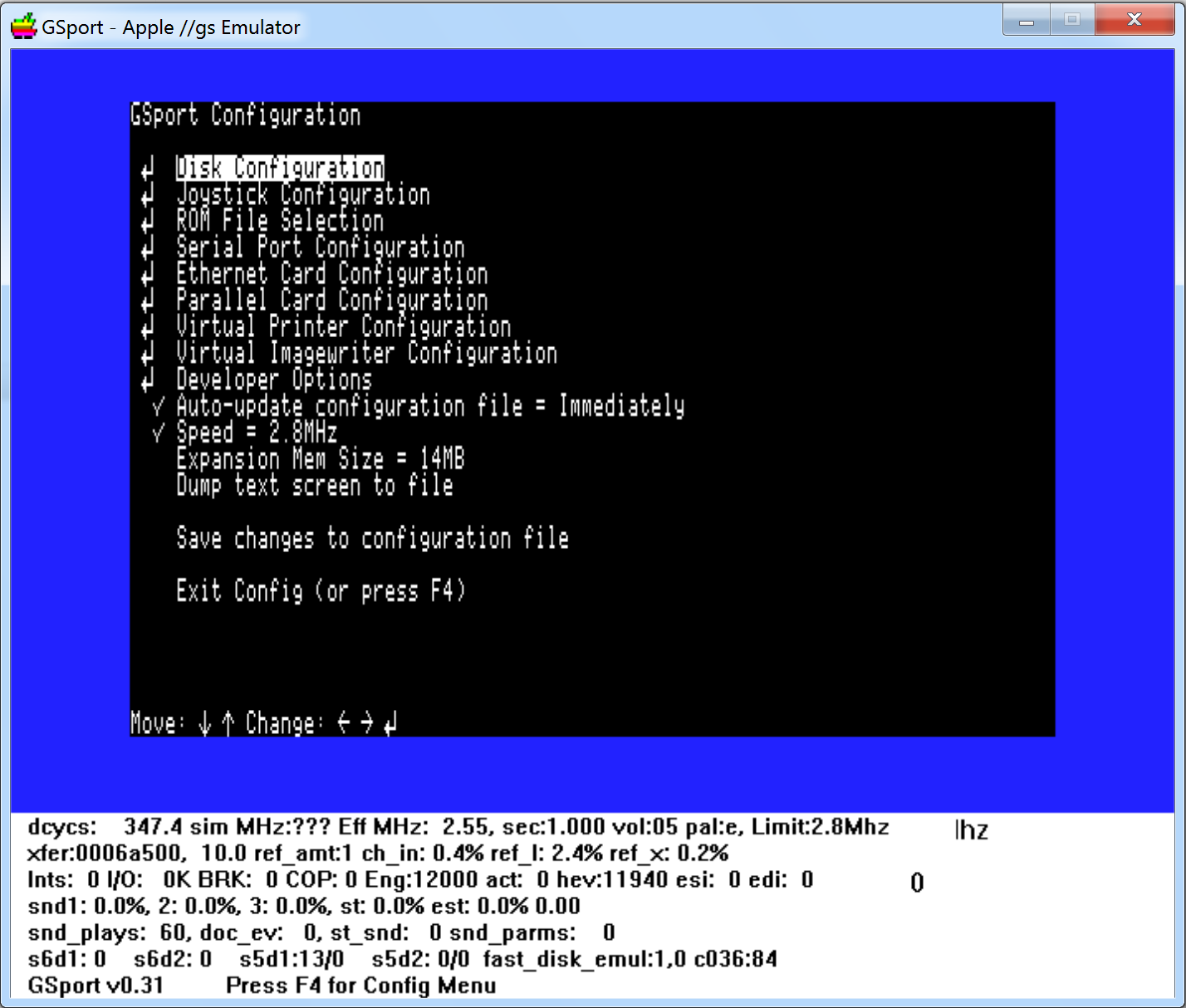
KEGS (Kent’s Emulated GS) is a very full-featured Apple IIGS emulator, originating in the 1990s, with a somewhat clunky (though not difficult) text menu interface. In late 2020, after a 16-year hiatus, KEGS began receiving excellent enhancements, leapfrogging over its offshoots GSport and GSplus (which were separately reviewed in the original version of this article). Despite a few rough edges, and a potential one-time challenge in getting it running, KEGS is a top-notch emulator which now represents one of the best Apple IIGS emulation options for Linux, Mac, and Windows users.
KEGS offers most of what a real Apple IIGS does. You can use virtual versions of the inbuilt “slot cards” visible in the IIGS control panel. A virtual ZipGS can accelerate the 65816 processor up to 128 MHz, and a debugger is available. Memory can be expanded to 14 MB, and “Slinky” style memory expansion is also available. The Apple II text screen can be copied to the host operating system’s clipboard. A unique feature is the ability to print from your virtual IIGS to a printer on your network via TCP/IP. The technical status area beneath the emulation window is ugly, but can be hidden. An oddity is that the screen border is sometimes uneven on the sides.
Disk usage is flexible in KEGS. There are two 3.5″ floppy drives, two 5.25″ floppy drives, and eleven SmartPort drives which can be used for ProDOS disk images up to 32 MB. The 5.25″ drives virtually “grind,” just as they do on a real machine, when ProDOS or GS/OS is scanning every drive for a specific volume, and it really slows things down. You can mount a folder from the host OS as a ProDOS disk, making it easy to transfer files between the two systems. Other capabilities in KEGS include resizable windows, a virtual Mockingboard, WOZ disk image support, joystick support, an improved debugger, copy-paste ability from host OS to emulated GS/OS, and precise timing accuracy when running at 2.8 MHz.
Mac users will want to read the README.mac.txt file in the “doc” folder supplied with the download. Linux users will need to build from source code. All KEGS users should certainly read the comprehensive README file, and the supplementary included documentation, and may also wish to read the more attractively presented documentation for the very similar GSport and GSplus.
GSport, by David Schmidt and others, and GSplus, by Dagen Brock, are derivatives of a 2004 release of KEGS. They lack many of the above recently added features, and these variants are no longer developed. What they offer over KEGS is emulation of Uthernet I and various printers such as ImageWriter LQ. GSport also emulates AppleTalk. For Mac users who want these features, GSplus is the better option, as it is a 64-bit application which runs on modern versions of macOS (via Intel translation on newer Apple silicon based Macs, though developers can easily recompile it to be native).
There exists an independent port of KEGS for Android phones, last updated in 2013; unfortunately, it no longer exists on the Google Play store.
While KEGS is a fine emulator, I wish for more polish around its user interface (particularly when it comes to selecting disks), more ready-to-use Mac packaging (an application icon would be nice, as would a launcher file to avoid needing to run from Terminal), a way to disable or speed up the drives in slot 6, and incorporation of the networking and printing enhancements provided by GSport and GSplus.
Mariani

- Platform: macOS
- Models emulated: Apple II, II Plus, IIe (U), IIe (E); foreign variants; clones
- Image support: DSK, PO, NIB, HDV, 2MG, WOZ, ZIP
- Status: actively developed (v1.4 (3) [based on AppleWin 1.30.19.0] released November 25, 2024)
- Author: sh95014
- Available from: https://github.io/sh95014/AppleWin/
Mariani is a variant of AppleWin on Linux, which in turn is a variant of AppleWin, the veteran 8-bit Apple II emulator for Windows. Mariani presents most of AppleWin’s capabilities, and some of Mariani’s own, to Mac users. This emulator doesn’t resemble its ancestors; instead, it presents an minimalist, easy to use, Mac-like experience that should please users of the platform, especially those who want a high quality general purpose emulator at no cost.
The emulator window has few controls; instead, common operations like inserting disks are available in the menus, which are logically organized. AppleWin’s powerful 6502 debugger is available, and a memory viewer is provided as well, including presentation of in-memory Applesoft programs as readable text. The Settings window allows you to configure the virtual hardware — only certain cards are available for certain slots, as with AppleWin. Mariani also brings some features of its own, such as a browser which lets you inspect the files of the loaded disk image; this took a moment for me to find, but it’s available by clicking one of the small circles in the lower left of the window. Mariani is also scriptable with AppleScript, a nice Mac-specific bonus.
Overall, Mariani is effective and thorough, and its emulation is excellent. And, if it lacks some of the polish of Virtual II, its price is hard to argue with. Reading the AppleWin documentation may be helpful, and you might want to read our review of AppleWin, above, for a full description of the extensive emulated hardware and capabilities of Mariani.
These emulators are feature-rich, offer accurate emulation, and are relatively easy to use.
Virtual II

- Platform: macOS
- Models emulated: II, II plus, IIe (U), IIe (E), IIc
- Image support: DSK, PO, D13 (limited), NIB, HDV, 2MG, WOZ, V2D, GZ
- Status: actively developed (v12.1.1 released November 25, 2024; closed source; $36/$17)
- Author: Gerard Putter
- Available from: https://virtualii.com/
Virtual II does nearly everything you could ask for from an emulator. It has a highly polished, easy-to-navigate interface, and it faithfully recreates every 8-bit Apple II model other than the IIc Plus. What really makes Virtual II stand out, however, is its collection of virtual hardware and the flexibility with which you can deploy it. Much like a real Apple II, you get to choose which peripheral card you want to put in which slot, and to which devices you want to attach those cards. Included are floppy and hard drive interface cards, memory cards (both aux slot and “Slinky”), a parallel printer card, serial cards, a CP/M card, clock cards, a Mockingboard card, and a mouse card. Some of these offer integration with macOS: the Super Serial Card can send and receive through an actual macOS interface, and one of the printers can output to a macOS text file. The emulation of Apple IIc is a newer feature, and lacks the virtual hardware capabilities of the other models, offering little beyond floppy and hard drive support, and a no-slot clock chip.
Inbuilt Apple II hardware is represented as well. The CPU speed (for both the 6502/65C02, and optional Z-80) can be sped up. The cassette port and game connector are also emulated, and for an emulated II/II+, onboard memory quantity and shift-key modification may be selected. Programmers will appreciate the excellent integrated 6502 debugger. Multiple machines may be emulated in separate windows, and the Apple II screen can be recorded to a movie file. The emulated machine state may be saved at any time. File extraction from ShrinkIt archives is available.
Disk support deserves its own mention. For 5.25″ floppies, one or more emulated Disk II cards can host two Disk II drives, and the physical sound of the drive itself is simulated (via audio samples). For 3.5″ and hard disks, virtual hardware (with no real-world counterpart) is provided: one or more “SCSI II” cards can host one or two “OmniDisk” drives, which each functionally operate as a removable ProDOS hard disk, and support any disk image up to 32mb.
Best of all, any Mac folder can be “inserted” into a drive and treated as either a ProDOS or DOS 3.3 disk (either 140K or 32 MB in size, depending on whether you’re using the Disk II or the OmniDisk), greatly easing transfer of individual files between macOS and the emulated Apple II. Virtual II also provides its own Spotlight interface for searching Apple II filenames across and within disk images, and the catalog of a disk image can be quickly seen via macOS QuickLook, cleverly superimposing file names on a graphic of a floppy disk label. Disk writes are not saved to the disk image until the virtual disk is ejected, the emulator window is closed, or a “flush” command is chosen from a menu.
I could go on and on, but I’ll conclude by saying that Virtual II, in addition to its versatility, gets innumerable fine details right, has sparkling fit and finish, and provides excellent documentation; its $36 price tag is more than justified. (A $17 “limited” version is available, but it omits some useful features like saved states, screen recording, and macOS folder mounting; a free “evaluation” version additionally employs watermarks and forced pauses.)
Good Apple II Emulators
These emulators may be a bit less polished or a bit harder to use, but they’re still quite functional.
ActiveGS (standalone desktop version)

- Platform: Windows
- Models emulated: IIGS (ROM 01)
- Image support: DSK, PO, NIB, HDV, 2MG, ZIP
- Status: dormant (v3.7.1019, released January 31, 2014)
- Author: Olivier Goguel
- Available from: http://www.freetoolsassociation.com/tech_ActiveGSApp.html
ActiveGS is a straightforward Apple IIGS emulator for Windows users. While the title is better known as a now-obsolete browser extension, and a limited and buggy iPadOS app, the Windows desktop version, despite last being updated in 2014, is surprisingly effective and pleasant to use, if you can get past its fixed window size. It’s based on a 2004 version of the KEGS emulator (v0.91, which was the final version prior to KEGS’ revival in 2020), but it streamlines KEGS’ feature set while substantially simplifying usage; unlike other KEGS derivatives, and KEGS itself, there are no text menus to navigate, configuration files to configure, or command line options to issue. Instead, ActiveGS provides its own straightforward graphical interface, invoked by right-clicking on the window. From there, it’s easy to load disk images into virtual drives, reboot from slot 5, 6, or 7, control the CPU speed, and specify how you want to emulate the joystick…and not a lot else. But, ActiveGS arguably doesn’t need much else. It does what it’s supposed to with an admirable minimum of difficulty.
(The ActiveGS browser extension is no longer compatible with modern browsers, and the iPadOS app, newly restored to Apple’s App Store last year after a decade-long absence, is limited to usage of only a few included titles, no doubt due to Apple’s restrictions, and in any event has its share of bugs and usability challenges. There was also once a full Mac desktop version of ActiveGS, but it is no longer compatible with current versions of macOS; the current iPadOS version can be run on newer Mac models based on Apple silicon processors, though I’d recommend other emulators first.)
Agat
- Platform: Windows
- Models emulated: Apple II, II Plus, IIe (U), IIe (E); Apple-1; foreign variants; clones
- Image support: DSK, PO, NIB, HDV
- Status: actively developed (v1.30.2, released December 15, 2023)
- Authors: Sergey Gromov and Oleg Odintsov
- Available from: https://sourceforge.net/projects/agatemulator/files/agatemulator
Agat is not as well known as other Apple II emulators, but it’s worthy of attention. Named after an Apple II inspired, Soviet-made line of computers (which it also emulates), Agat is easy to use, has some original features, and performs well, providing a wide range of virtual hardware which can be flexibly configured.
Peripherals include 5.25″ floppy and hard drive cards (with harsh mechanical sound samples you may want to disable), clock, Mockingboard, “Slinky” memory expansion, mouse, CP/M, cassette, accelerated CPU, and printer (with an option for text file output). Some of Agat’s more intriguing options include a Liberty floppy drive card for 3.5″ disk sizes from 200K (SSSD) to 800K (DSDD), an Apple Firmware card in slot 0 (rather than a 16K memory card), and an integrated debugger that simply simulates the Apple II monitor. Sound emulation is sub-par.
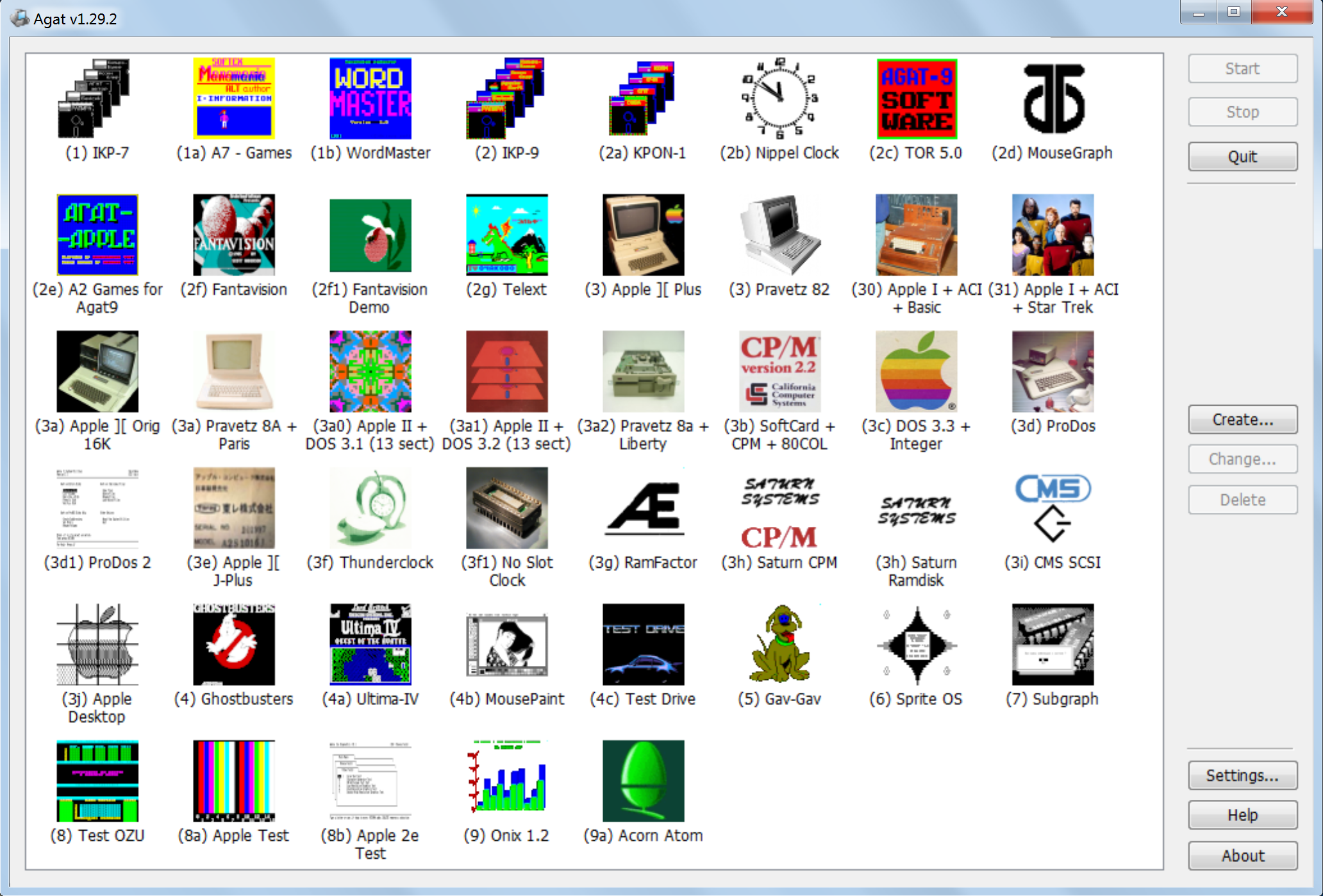
While most of the emulators listed here offer some capability of saving different machine configurations, Agat is the only one to colorfully display them in a library, and it comes preset with 45 to choose from (not all of which are Apple II computers). It’s a great way to quickly try out its various capabilities, and you can run several emulated machines at the same time. A running machine state cannot be saved.
Agat seems unlikely to receive major improvements, and WOZ disk image support would be welcome, but, for Windows users, it offers a bit more flexibility (if less fidelity) than AppleWin, with comparable ease of use. Be sure to click the included help button for the keyboard shortcuts.
Ample
- Platform: macOS
- Models emulated: all 8-bit Apple II models (including Apple IIc and IIc Plus); Apple IIGS (ROM 00, 01, 3); Apple-1; Apple III; foreign variants; clones
- Image support: DSK, PO, NIB, HDV, 2MG, WOZ, DC42, EDD, CHD
- Status: actively developed (r63/v0.271, released November 11, 2024)
- Author: Kelvin Sherlock
- Available from: https://github.com/ksherlock/ample/releases
Ample is not actually an emulator, but a valuable utility for Mac users that makes the powerful multi-machine, multi-platform emulator called MAME (reviewed below) dramatically easier to use for Apple II emulation. Ample also supports several 680×0 Mac models, and a vast array of Apple II clones and foreign variants.
Ample solves the problem of MAME’s complexity in starting up. Instead of having to learn command line syntax or stumbling around the awkward MAME graphical interface, Ample does the heavy lifting for you, with uncomplicated controls to help unlock the power of MAME with a minimum of fuss. That’s not to say Ample transforms MAME into something as user-friendly as your typical emulator, but it gets part of the way there.
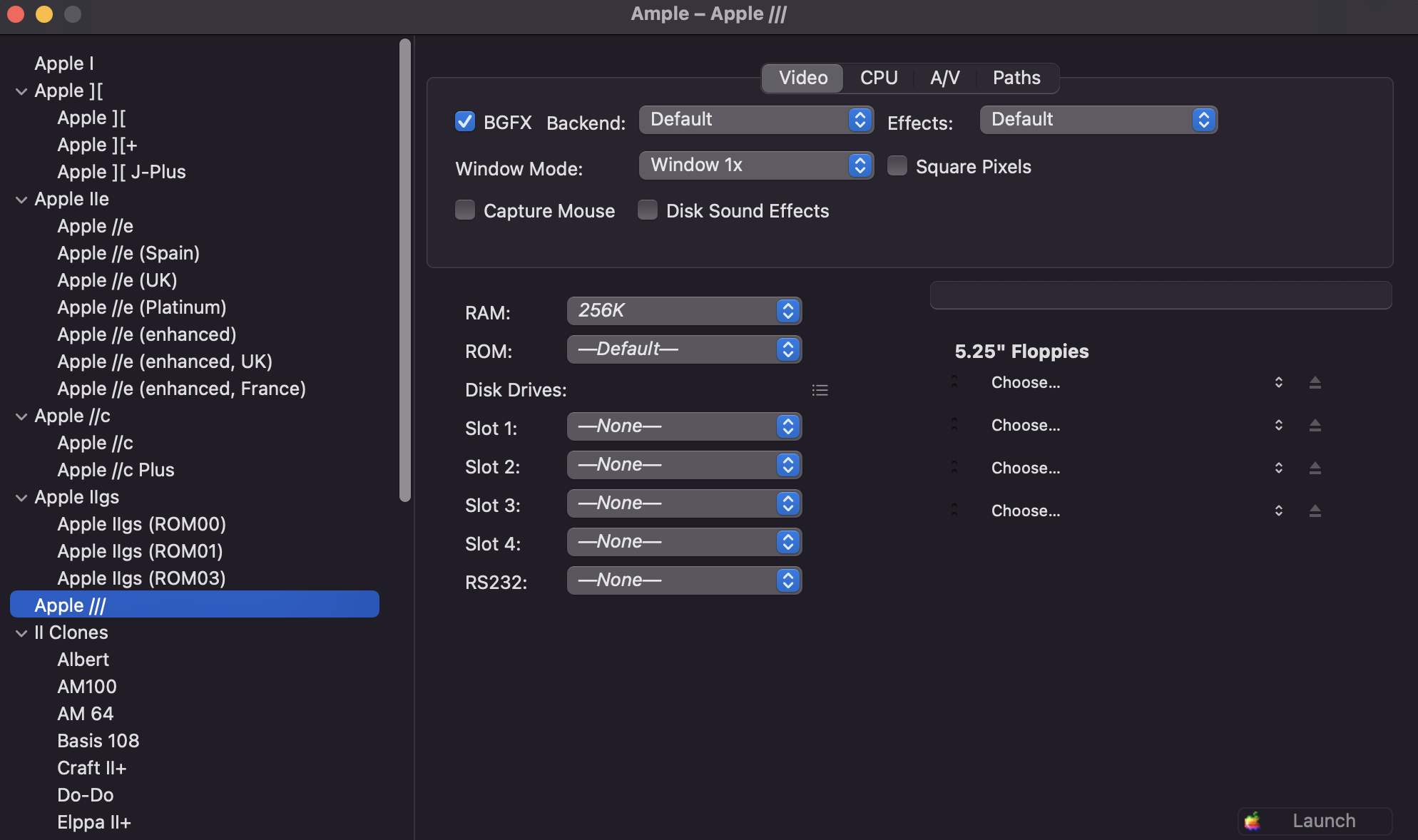
In addition to providing a prebuilt, Apple II-specialized version of MAME, and fetching needed ROM files for you, Ample provides a straightforward window which lets you specify exactly which machine you wish to emulate, and which peripheral cards (of the over 50 available, listed by full name) you want in its slots. You can also easily select otherwise obscure MAME options, like capturing the Mac mouse, which eliminates the “double pointer” issue in GS/OS which I mention in the MAME review.
Ample will then launch MAME as you have configured it—though once running, if you want to do things like switch disks, you will still need to press Fn-delete, followed by tab, to navigate through MAME’s tricky native interface. Ample also provides shortcuts to documentation for MAME and its Apple II-specific modules, and adds features that have not necessarily been incorporated into MAME, such as presentation of a macOS folder as a drive in the emulated Apple II, and “experimental” Uthernet II support and AppleTalk networking support (though without actual AppleTalk hardware compatibility, a feature unique to the GSPort emulator).
While still not as smooth an experience as using one of the dedicated Apple II emulator titles, Ample is well worth checking out for any Mac user interested in using MAME for Apple II emulation, especially if previously deterred from doing so.
Apple in PC (AIPC)
- Platform: Windows
- Models emulated: Apple II Plus, IIe (E)
- Image support: DSK, PO, NIB, HDV, 2MG, WOZ
- Status: unclear (v0.1.46.1 released June 5, 2020)
- Author: Keonwoo Kim
- Available from: https://github.com/sosaria7/appleinpc/releases
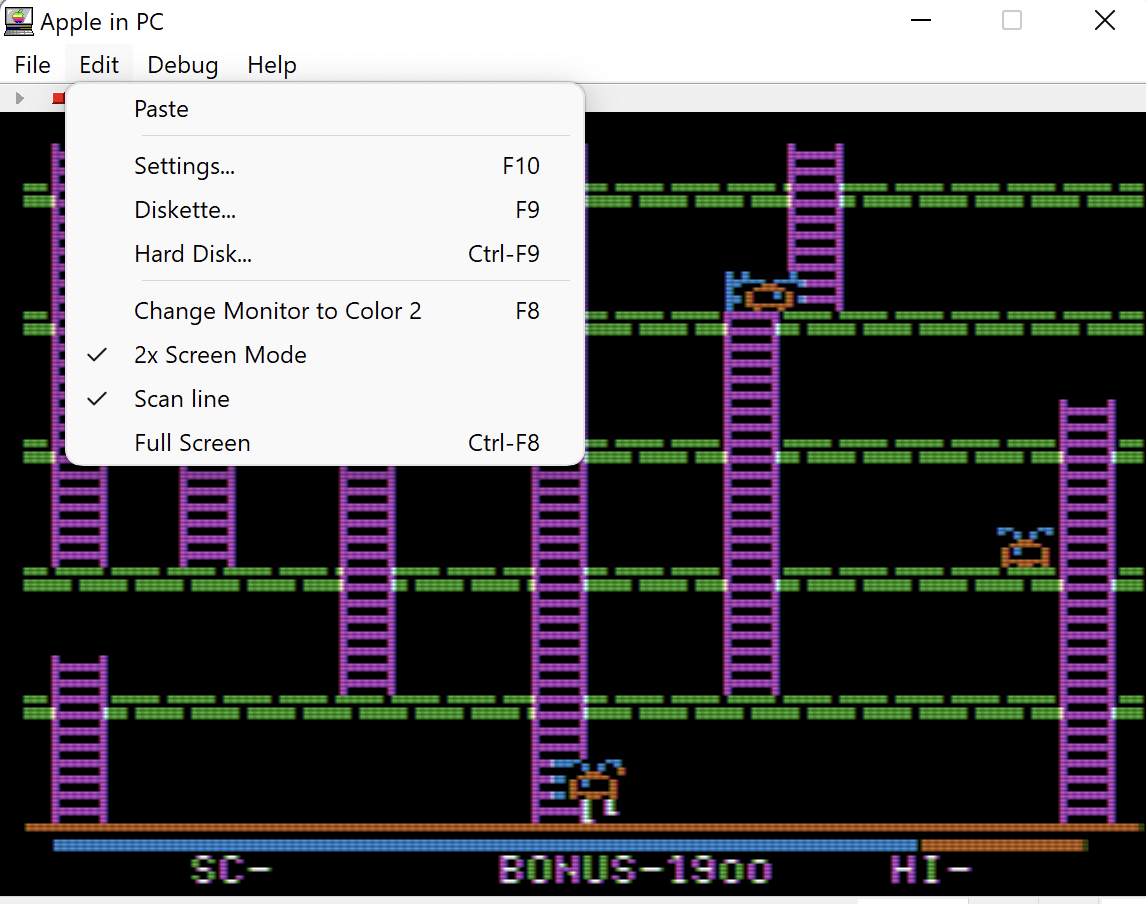
AIPC dates from the early 2000s and was hard to find for many years before resurfacing in 2016 with new updates. It’s a solid emulator for Windows users that covers the essentials capably with a straightforward, utilitarian interface.
Emulated hardware includes mouse, joystick, Mockingboard, Phasor, hard drive, and 5.25″ floppy drive. Cards can be assigned to arbitrary slots, and an unusual feature is being able to customize Apple II screen colors. The Apple II machine state can be saved between sessions. The emulation window is not scalable, only capable of 1x, 2x, and full screen. A 6502 debugger is available but is extremely limited. While AIPC doesn’t do much that can’t also be done in AppleWin, I still like it, as it could be useful, for example, if configuring a virtual Apple II with numerous floppy drives, which AppleWin’s fixed-slot configuration doesn’t offer.
Clemens
- Platform: Windows, macOS, Linux
- Models emulated: Apple IIGS (ROM 3)
- Image support: DSK, PO, HDV, 2MG, WOZ
- Status: unclear (v0.6, released August 17, 2023)
- Author: Samir Sinha
- Available from: https://github.com/samkusin/clemens_iigs/releases/
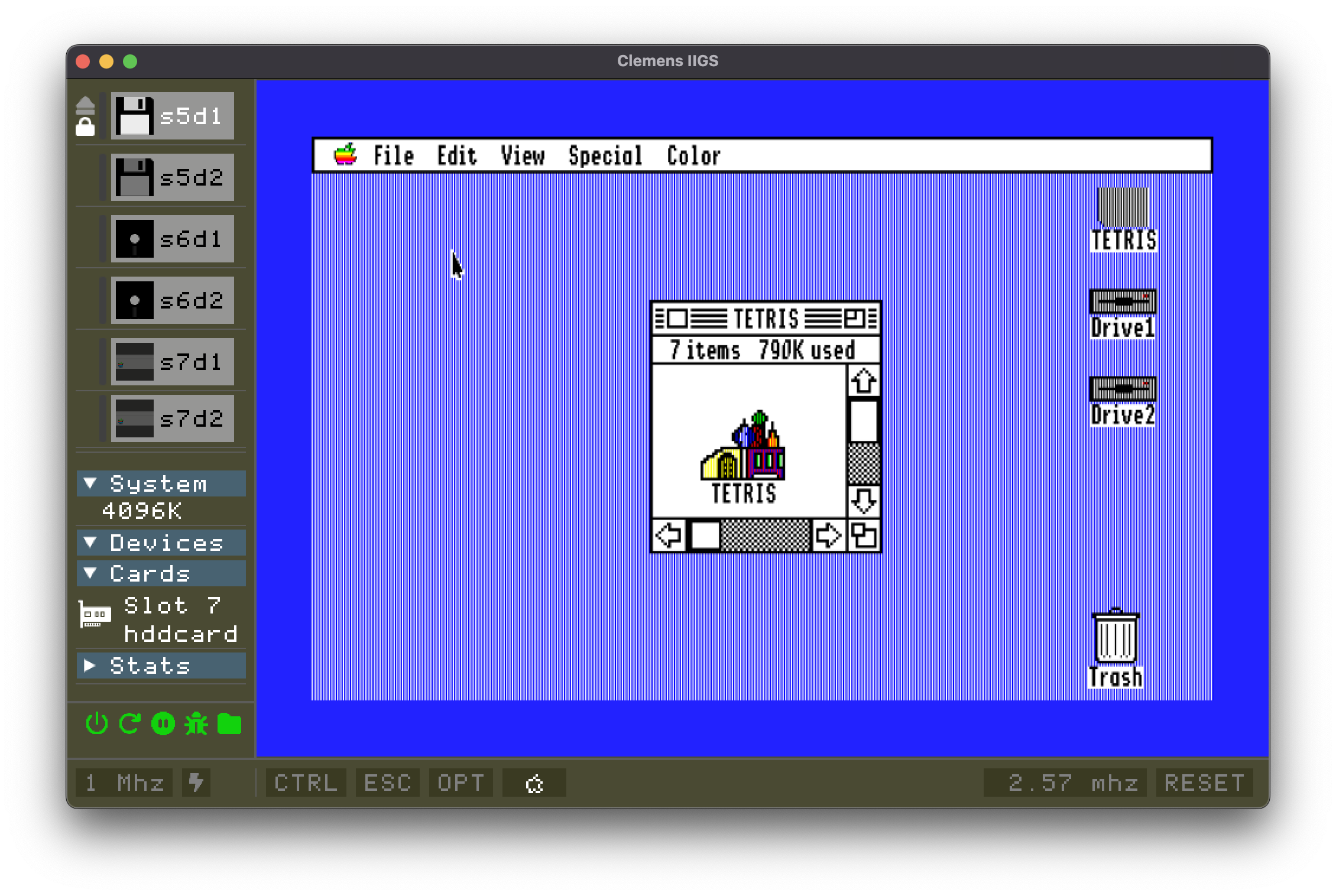
Clemens is a fairly new Apple IIGS emulator that is considered by its author to be of “late alpha” quality, though I found it to be reliable, if incomplete in some areas. I also found Clemens to be the easiest-to-use Apple IIGS emulator which can run on current operating systems, with a self-explanatory interface and good documentation. Clemens also offers a very desirable feature that other many Apple IIGS emulators do not: being able to save machine snapshots. As for emulated hardware, Clemens offers two 3.5″ drives, two 5.25″ drives, two hard drives, and a Mockingboard.
Unfortunately, it is not clear if the developer is still working on Clemens, given its lack of recent code updates, but one can hope. It has room to improve in several areas, some of which are acknowledged by the author in his stated plans for the software. Notable issues are lack of support for 13-sector disks; no support for NIB disk images; being limited to two disks in slot 7; when selecting disk images to mount, files appear in a seemingly random order; and being unable to hide the user interface even in full screen mode. Features not yet available but which are planned for include ZipGS CPU acceleration, ROM 01 support, serial port emulation, and printer emulation. I’m looking forward to Clemens acquiring these and other new features; it is a welcome addition to the limited options available for those wanting to emulate an Apple IIGS.
microM8

- Platform: macOS (Intel, runs in translation on Apple silicon), Windows, Linux
- Models emulated: Apple II, II Plus, IIe (U), IIe (E), IIc
- Image support: DSK, PO, D13, NIB, HDV, 2MG, WOZ
- Author: Paleotronic
- Status: actively developed (build 202403210107, released March 21, 2024; closed source)
- Available from: https://paleotronic.com/software/microm8/
microM8 (known in early versions as The Octalyzer) is a very good and very unusual Apple II emulator. It is so different from others that it can be hard to wrap your head around. While a typical emulator sticks to imitating physical hardware via software, microM8 leaps into realms that a real Apple II wouldn’t see, such as perspective 3D graphics and rewindable live gameplay. This emulator is less concerned with faithful replication of Apple II history and more with making Woz’s baby perform cool new tricks through virtualization.
While microM8 can be mostly used as one would use any other Apple II emulator, that’s not where its heart is. When you start it up with drives empty, you don’t see “Apple ][” atop an empty space; instead, you see a colorful, animated splash screen, which invites you to do all kinds of things, such as loading its own enhanced BASIC or connecting to an Internet BBS. Probably microM8’s most immediately appealing feature is the ability to load a drive from a large online repository. USB game controllers are recognized. Virtual hardware, in fixed slots, includes 5.25” floppy drives, hard drive, mouse, modem, color printer, Mockingboard, and CP/M card.
Despite its friendly appearance and online documentation, microM8 can be challenging to use at first. It has many keyboard commands that are described on a help screen, and it also offers numerous options when launching from a command prompt. Disk images are inserted by dragging them into the left or right side of the emulator window. Fortunately, there is also a menu system, which you find by hovering in the upper left corner of the emulator window. (An optional GUI control panel can also be downloaded, though I didn’t find it especially useful.) The feature set is extensive, and some of microM8’s capabilities are quite sophisticated, such as a powerful web based 6502 debugger, an HTTP control API, and a software packaging mechanism. There are also a lot of choices for video modes, screen recording, and more. I’m sure I did not discover all the things microM8 can do.
microM8 is of high quality, and it is an extremely creative product. If Apple II emulators were movies, it could be a cult favorite. And it’s fun to play with, even if you already have your emulator of choice.
MII
- Platform: Linux
- Models emulated: Apple IIe (E)
- Image support: DSK, PO, NIB, HDV, 2MG, WOZ
- Author: Michel Pollet
- Status: actively developed (v1.9.7 released November 23, 2024)
- Available from: https://github.com/buserror/mii_emu/
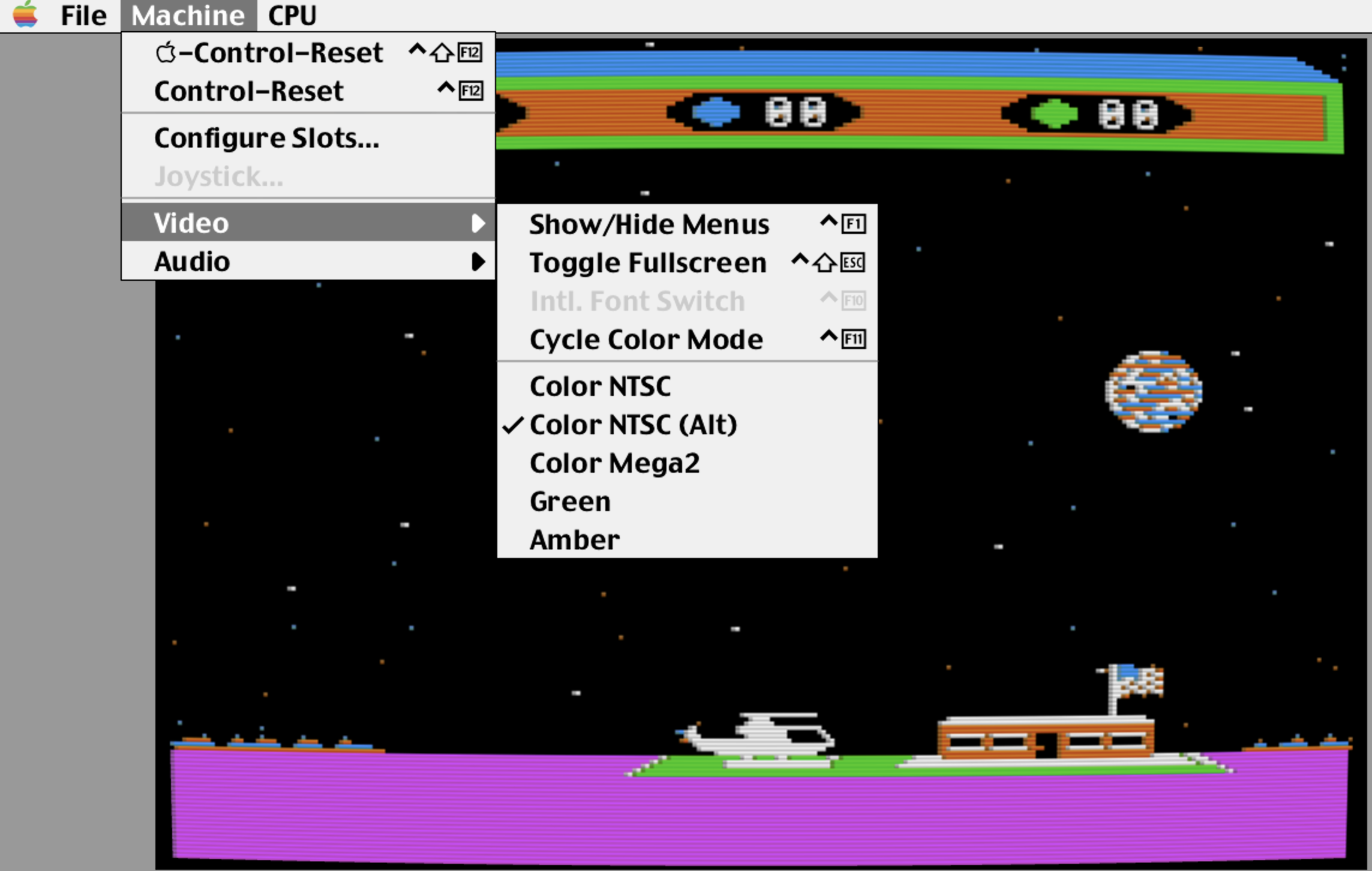
MII is a new enhanced Apple IIe emulator for Linux with an attractive interface (rare among Linux emulators) styled like a vintage Mac. Rather than going for the kitchen sink, MII does a few things very well. You get your usual two floppies (seen spinning with flux imaging!), two hard drives, a ProDOS ROM drive card with some games preloaded, a Super Serial Card (which can connect to underlying host OS devices), mouse, No Slot Clock, RamWorks memory, joystick, and CPU acceleration. Conspicuously absent is a Mockingboard, though the project page states that it’s in progress.
Video is styled to look like a vintage monitor, but less convincingly than with some other emulators, and I found the slight curve at the edges of the virtual screen to be distracting; if there is a way to disable it, I couldn’t find it. A command shell based debugger, accessible via telnet, is available, along with a mini-assembler.
What I like about MII is its appearance and finesse, as well as the author’s amusing and enthusiastic notes on the project page. I also appreciate the detailed release notes. If I were a daily Linux user, I might choose MII for casual Apple II emulation, because even though other Linux emulators do more, MII is just much nicer to look at, and requires less effort to use, because it has such a straightforward presentation. Still, there’s features I’d certainly like to see, like saving and restoring machine states. Fortunately, the author appears to be introducing regular improvements and new features, and I’ll look forward to seeing them.
OpenEmulator
- Platform: macOS
- Models emulated: Apple II, II Plus, IIe (U), IIe (E); Apple-1; foreign variants; clones
- Image support: DSK, PO, NIB, HDV, 2MG, WOZ, DC42, V2D, FDI, VDI, VMDK
- Status: actively developed (v1.1.1 released March 11, 2022)
- Authors: Marc S. Ressl, Tobias Eriksson, Zellyn Hunter, 4AM, et al
- Available from: https://openemulator.github.io/
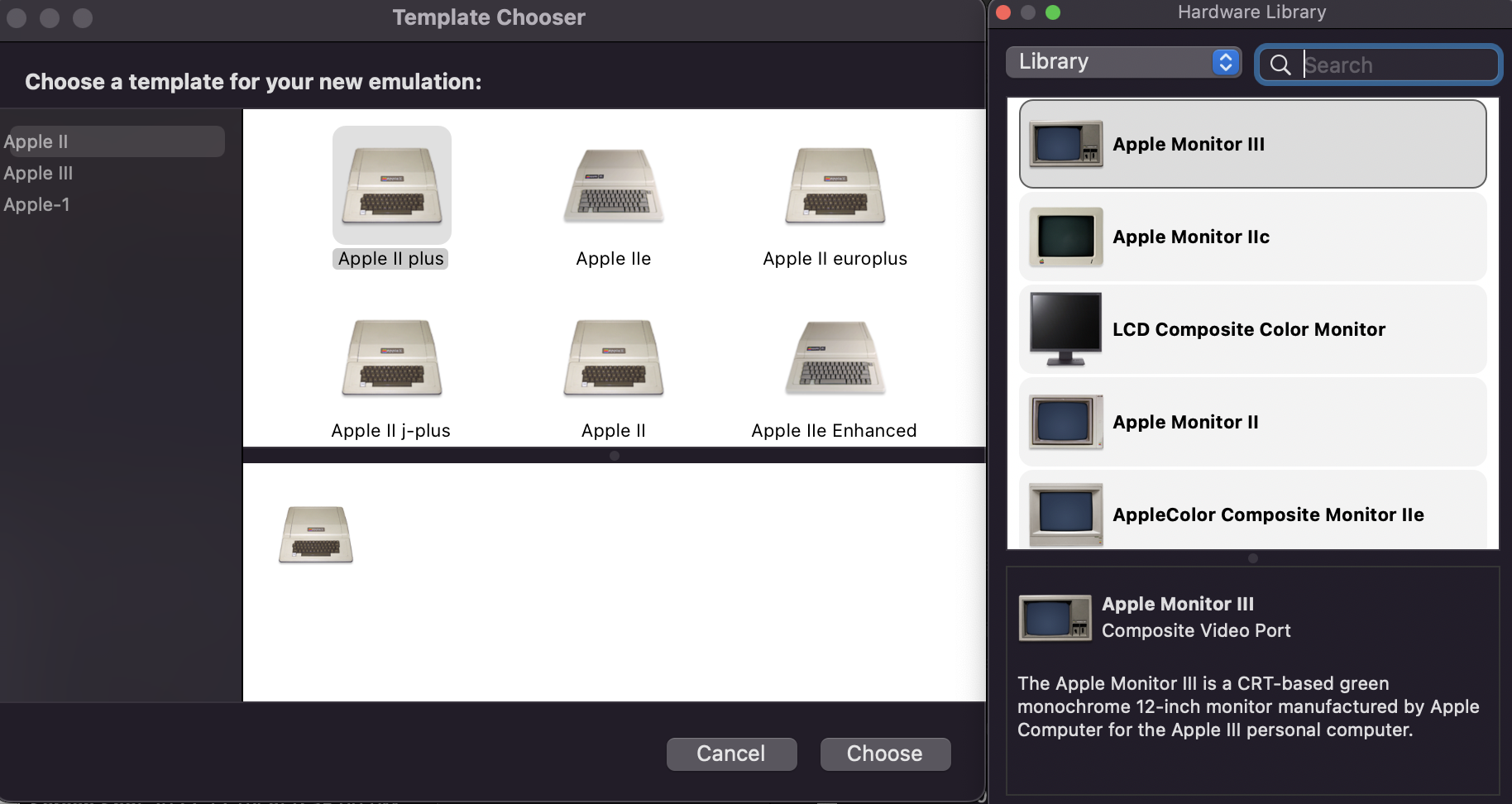
OpenEmulator is an easy-to-use emulator that aims for a high degree of fidelity to a real Apple II’s appearance, including the ability to choose from different historic monitor types. The emulated machine state can be saved at any time. It offers flexibility via virtual slots, to which virtual hardware interface cards and accessories may be connected. Peripherals represented include floppy disk (with mechanical sounds sampled from a real drive) and hard disk (with a wide array of image formats supported), memory expansion, and some unusual options, such as an emulated Apple Graphics Tablet (which works great with Dazzle Draw), a SilentType thermal printer, and precision floppy disk tuning. However, there are notable omissions, such as a clock card, mouse card, memory card, sound card, and CPU acceleration.
OpenEmulator has not acquired many new capabilities in recent years. With that said, open source community members have kept OpenEmulator relevant, adding support for WOZ disk images and enhanced Apple IIe emulation, and making this emulator Apple silicon native. There are some rough spots, such as an option to emulate an Apple III that simply yields an error, and a mysterious virtual CPU socket that says “disconnected” when the emulator is plainly running. There have been no updates since 2022.
For Mac users who want a no-cost, user-friendly 8-bit Apple II emulator with a fair bit of flexibility, OpenEmulator is a very functional choice. But if it doesn’t do something you want, don’t hold your breath waiting for that feature to appear in a new release.
For Technical Users
These emulators are not plug-and-play, so prepare to get your hands dirty.
emu6502

- Platform: Linux, Windows
- Models emulated: Apple II, II Plus, IIe (U), IIe (E), IIc, IIc Plus
- Image support: DSK, PO, NIB, HDV, 2MG, WOZ, GZ
- Status: actively developed (v0.9.1 released September 19, 2024)
- Author: Univta Drone
- Available from: https://github.com/univta0001/emu6502/
- Web version: https://github.io/univta0001/emu6502/
emu6502 is a new emulator of every 8-bit Apple II except the original, and including, unusually, every single Apple IIc ROM version, even the Apple IIc Plus, which is not represented by most other titles. A premade binary is available for Windows users, and x86 Linux users; other Linux users may build from its Rust source code, and the author claims it can be built for macOS as well, though I did not try it there.
This emulator’s user interface consists entirely of function keys and command line options, making it appear unfriendly for those accustomed to menus, icons, and other visual interface items. For example, to insert a disk, you press F1. To simulate old school scan lines, you press control-F5. Some options, like the window size, are only available when launching the app via command line options; one you may need is “–scale 1.5” (or a lower value) if the default 2x window size extends past the edges of your screen, as it did on my laptop. Windows users can create a shortcut which contains this additional instruction, or type it from a command window. Fortunately, the project page neatly lays out all of the options and keypresses, and they’re reasonably straightforward. It may feel clunky, but you could argue that operating a program via arcane key combinations that you have to look up from a reference sheet is, well, faithful to the 8-bit Apple II experience.
In terms of features, emu6502 is surprisingly comprehensive for a new emulator. Available are virtual 5.25 inch drives (either 13 or 16 sector), two hard drives, two Mockingboards, a Z80 card, mouse, parallel, Slinky/Ramfactor memory, Saturn memory (for Apple II Plus), Uthernet II, Ramworks memory (for Apple IIe), cassette, and joystick. Most of these peripheral cards may be placed into any slot, unlike the restrictive fixed-slot configurations of some emulators such as AppleWin. Specifying what you want, however, is entirely done via the command line, so configurations you need repeatedly will need to be achieved via Windows shortcuts with a customized command line in their properties, or, on Linux or macOS, simple shell scripts or command aliases. (It would be nice to have an Ample-style GUI front end to pre-configure these for you!) Video presentation is simple and hard-edged, without much attempt to simulate a CRT’s appearance, apart from a scan line option. emu6502 also offers a Web version (pictured), which can be used at the link above, or hosted on your own site.
emu6502 is of high quality, but it also exists in a crowded field of 8-bit Apple II emulators with similar capabilities, many of which have visual interfaces which make them easier to use. However, Linux users and keyboard jockeys may like its minimalist vibe.
izApple2
- Platform: Linux, macOS, Windows
- Models emulated: Apple II, II Plus, IIe (U), IIe (E)
- Image support: DSK, PO, NIB, HDV, 2MG, WOZ
- Status: actively developed (v2.1 released August 31, 2024)
- Author: Iván Izaguirre
- Available from: https://github.com/ivanizag/izapple2/
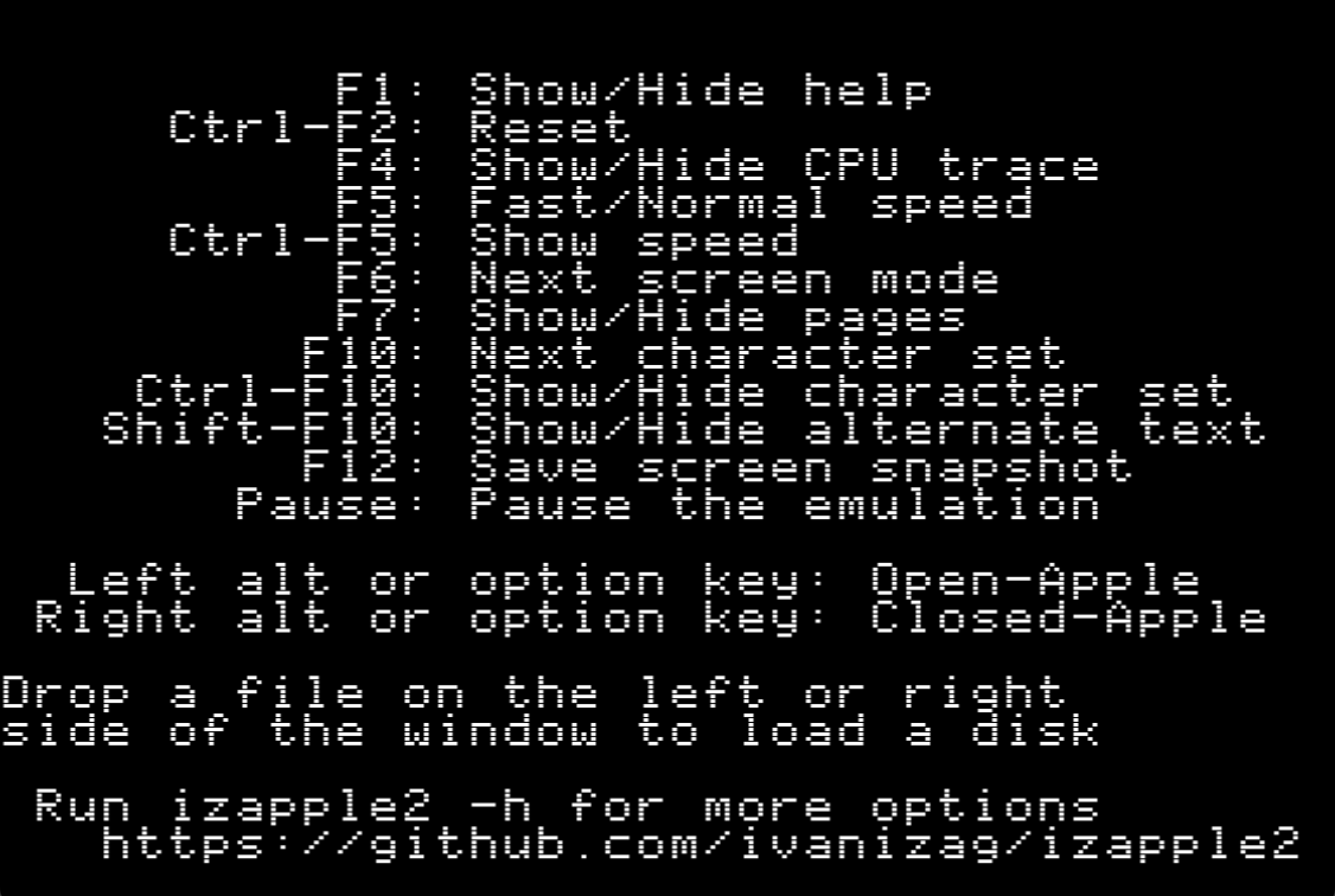
izApple2 is a cross-platform (though, Linux users will be most at home) 8-bit Apple II emulator first introduced in 2019, but which received a major version update in 2024 after several years of inactivity, at least as formal releases go. It has some unusual and worthwhile features, though like several other Linux-first emulators, its user interface consists entirely of command line options during launch, and function key combinations during operation. This makes it more difficult to use than if there were menus and icons. Fortunately, the F1 key brings up a cheat sheet, and the project page very clearly lays out the various commands and options. In this regard, it is similar to the emu6502 emulator. One bit of fun is that you can specify the URL to a disk image as a command line option, and izApple2 will download it for you and start your Apple II with it.
Common disk image formats are supported, though WOZ and NIB images are limited to read-only operation. In terms of emulated hardware, you get Disk II, memory cards, parallel printer card, ThunderClock, No Slot Clock, Videx VideoTerm (for Apple ][ Plus), and a Z80 card; these may be freely put into arbitrary slots, as specified on the command line. (Windows users may wish to make shortcuts with the options they want in the Properties area; Mac and Linux users could make small shell scripts or command aliases.) Less common options include the SwyftCard word processing system, and several modern day cards oriented towards switching between multiple ROMs, such as Brainboard and MultiROM, and various modern virtual hard drive systems, such as the ProDOS ROM card and Dan ][ Controller Card. There isn’t a full fledged debugger, but there are multiple instruction tracing modes. One of the nicer features is a variety of preconfigured machines; you can boot an Integer Basic Apple ][ into 13-sector DOS 3.2.1, should you so wish, and there are several other options. You can insert floppy disks into drives by dragging into the left or right side of the window, not unlike the MultiM8 emulator. Users who build from the Go source code will also have access to a text-output-only version of the emulator, allowing you to emulate an Apple II from a text-only environment such as a terminal window, though it is not as robust as the text display version of AppleWin on Windows.
I like izApple2, and it has some neat abilities, but, again like emu6502, there are a lot of 8-bit Apple II emulators, and I’m partial to those with at least some kind of graphical, discoverable interface, and izApple2 lacks that. Though premade macOS binaries for both Intel and ARM are provided, users unfamiliar with Terminal will be unable to use them easily, as they need to be made executable, and the macOS Gatekeeper system needs to be overridden; and many functions will only be available when launching from the Terminal and providing command line options. I did not try the Windows version, but several of the same issues apply. There is a premade Linux binary, and the code compiles easily if it doesn’t operate properly. Linux users, who have fewer options available, may wish to compare izApple2 against emu6502, as they are somewhat similar in operation; between them, I think emu6502 has the edge, though I find AppleWin on Linux to be the best choice for 8-bit Apple II emulation on that platform.
LinApple
- Platform: Linux
- Models emulated: Apple II, II Plus, IIe (E)
- Image support: DSK, PO, NIB, HDV
- Status: dormant (v2b released June 26, 2015; newer forks exist but no formal releases)
- Authors: various (creator: Andrey Tzar)
- Available from: https://web.archive.org/web/20240227064450/https://linapple.sourceforge.net/download.html?_2017-03-12_2001/ (2015 release)
- Sanctioned fork: https://github.com/dabonetn/linapple-pie/ (last updated in 2018)
- Independent fork: https://github.com/linappleii/linapple (2023 code, not tested)
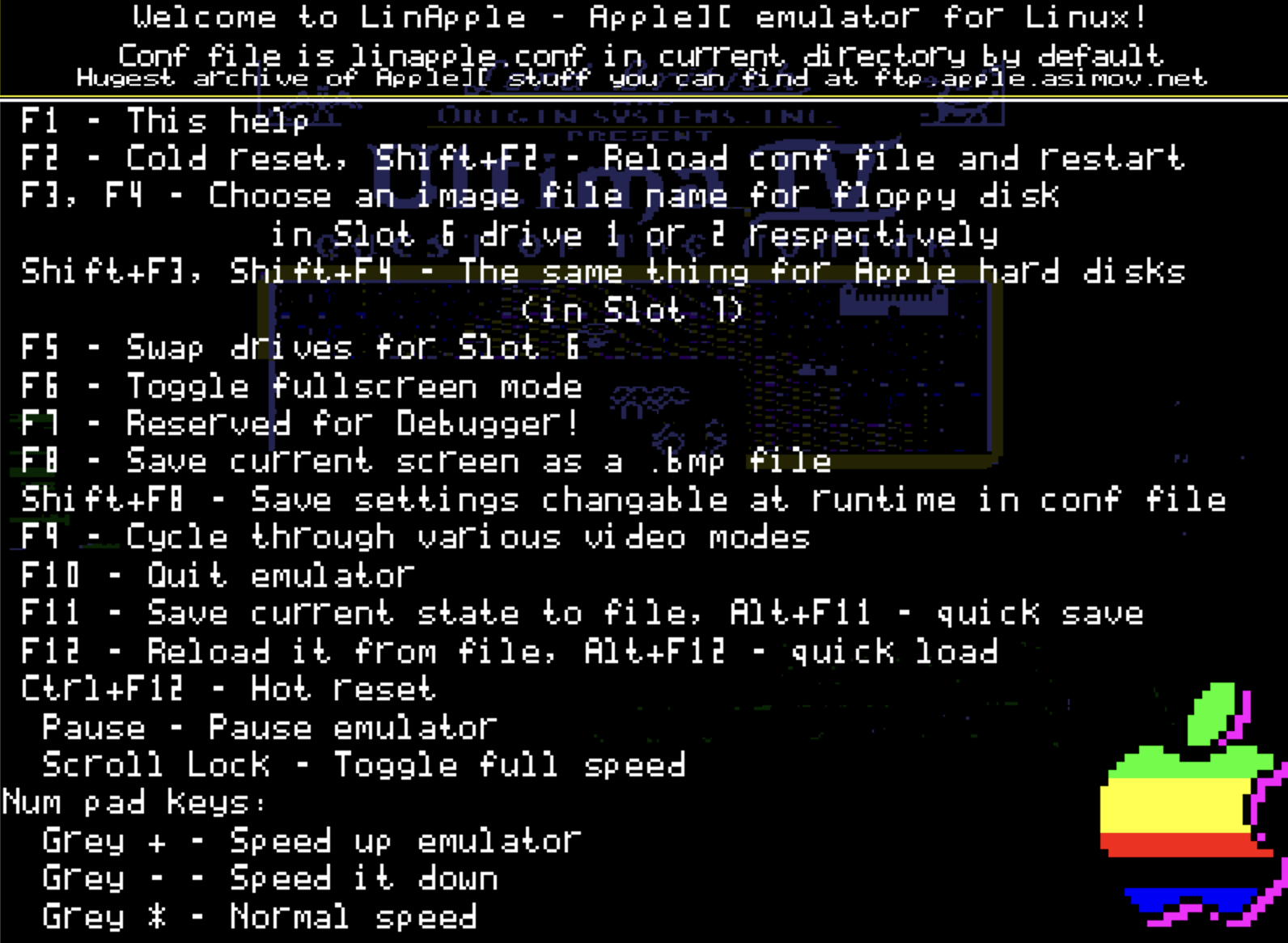
LinApple is similar to what AppleWin was in 2007, but with a different user interface. Compared with AppleWin, some features are absent, and new ones have been added. Much of LinApple is based on AppleWin code, so it emulates an Apple II well, yet feels quite different from AppleWin to operate. There are no graphical controls. All operation is performed via the function keys—fortunately, a help screen is provided—and configuration is performed by editing a text file. I would normally consider these to be negatives, but they’re not unusual for Linux. Neither is the fact that LinApple must be compiled from its source code. In other words, LinApple requires more technical ability than other emulators.
Like AppleWin, LinApple provides commonly used virtualized peripherals in their usual slots. Present are two 5.25″ floppy drives, two hard drives, Mockingboard and Phasor sound cards, various monitor emulations, a printer card which writes to a text file in the host operating system, and a mouse card. Memory beyond 128K is not available. The CPU can be accelerated, and the machine state can be saved. One added capability is an integrated FTP browser for loading the virtual disk drives from images on a remote server, though it’s difficult to get working.
One charming aspect of LinApple is the author’s obvious enthusiasm for the project and for the Apple II—his personality shines through in the language of the help screen, the documentation, and the configuration files. However, he has not maintained the project since 2015. Others have since picked it up, and the author now directs people to Mark Ormond’s LinApple-Pie project, though that itself is dormant. David Baucum (maxolasersquad) has also maintained a fork with more recent updates.
If you’re using Linux, and want to emulate an 8-bit Apple II, LinApple will get the job done, if you can clear its hurdles; however, more modern options exist, notably AppleWin on Linux, which is based on a much newer version of AppleWin.
MAME (Apple II modules)
- Platform: Windows (plus independent macOS and Linux variants)
- Models emulated: Apple II Plus, IIe (U), IIe (E), IIc, IIc Plus; Apple IIGS (ROM 00, 01, 3); Apple-1; Apple III; foreign variants; clones
- Image support: DSK, PO, NIB, HDV, 2MG, WOZ, DC42, EDD, CHD
- Status: actively developed (0.261, released November 29, 2023)
- Authors: various
- Available from: https://mamedev.org/
MAME is not an Apple II emulator per se. Rather, it is a superemulator, first released in 1997, which now supports thousands of vintage arcade games and computers, if you are able to provide the needed ROM files for the machine you want. It is a towering achievement in historic game emulation.
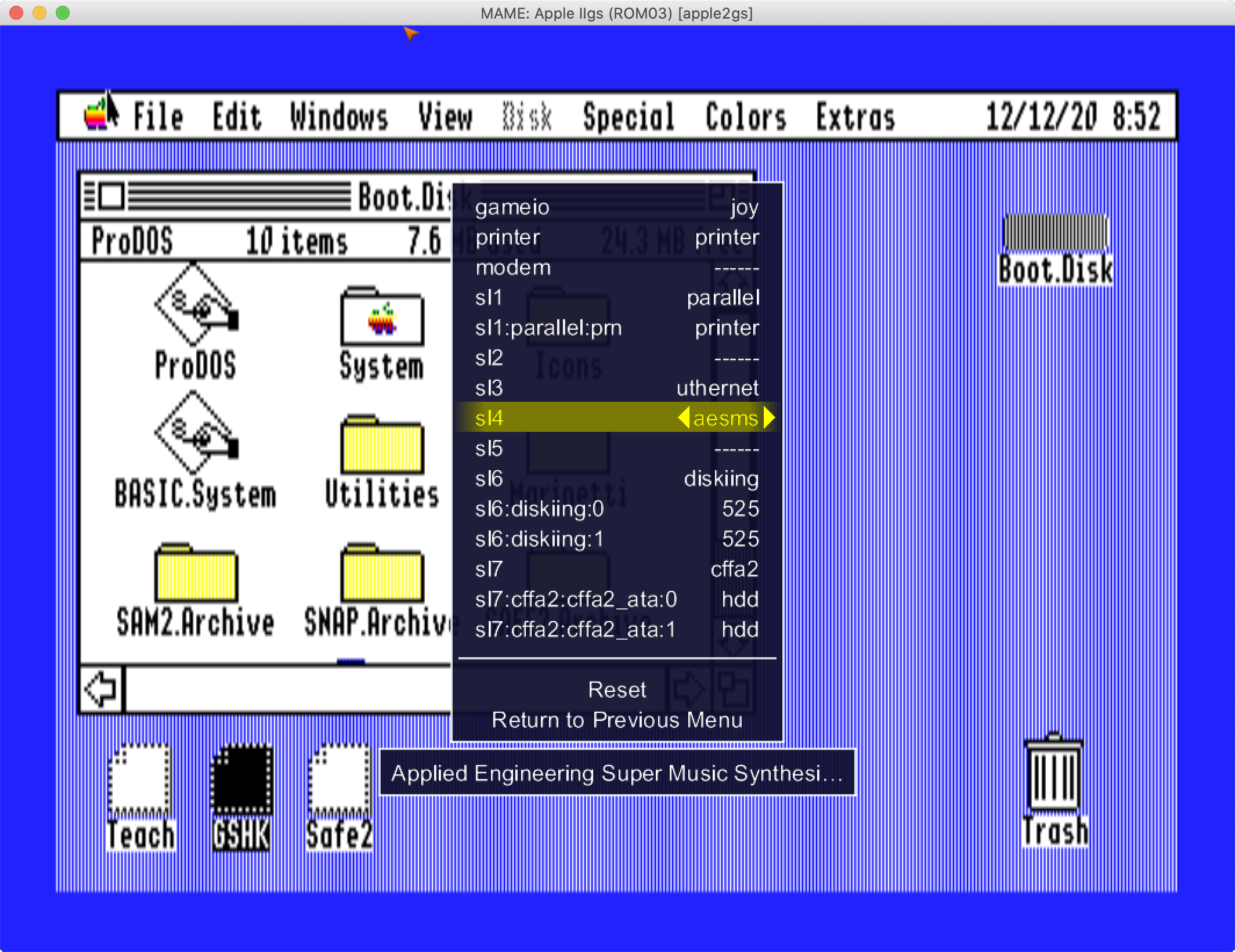
MAME originally emulated arcade machines, but its scope has expanded to include personal computers (via incorporation of an offshoot project called MESS), and the Apple II (and I, and III) is represented among these. MAME’s Apple II capabilities are remarkably robust, yet not great fun to use, because they are hampered by an unintuitive, generic interface shared by all the other emulated arcade games and computers; it is arguably easier to start MAME’s Apple II emulation directly from a command prompt. There is also not much Apple II specific documentation. A dedicated Apple II emulator will do a better job for most people.
With that said, MAME has a philosophy of not mere emulation, but immortality for hardware, and as such provides a vast array of virtual historic Apple II interface cards, game controllers, input devices, and other peripherals, many of which I wasn’t even aware of. If you want to emulate an 8-inch floppy drive, only MAME’s gonna do that for you. It is also the only emulator to qualify for this list that that offers Apple III emulation, and MAME runs on nearly every personal computer platform. If these capabilities appeal to you, MAME may well be worth your effort. Furthermore, MAME’s Apple II abilities are frequently improving. MAME’s Apple IIGS emulation is notable for existing at all, and it does work, but it has some challenging aspects, such as not hiding the host machine mouse pointer when in windowed mode without an obscure command line option.
An important keyboard command when using MAME is forward-delete (Fn-delete on a Mac without a Del key), which toggles between enabling MAME’s keyboard controls, and sending all keys to the emulated Apple II. Also, if you want MAME to run in a window, rather than full-screen, you will need to launch it from a command prompt, and use the “-window” option. Be cautioned that many of the settings available in MAME’s graphical interface are not saved as part of either machine state or configuration, so you may be better off bypassing the GUI entirely and specifying exactly what you want in your virtual Apple II with command prompt options and configuration file editing. I highly advise reading both the general MAME documentation as well as its Apple II specific notes found in the main distribution site’s wiki. I encourage Mac to use Ample (reviewed above) to reduce the difficulty of launching MAME, and to take advantage of newer features not yet introduced into the main MAME project.
Web-based Apple II emulators
There are a few Apple II emulators which run within Web browsers, providing a virtual Apple II even on “walled garden” platforms such as iOS/iPadOS, and browser based computers such as Chromebooks. They also provide an Apple II for anyone in front of any computer in the world, with no software required! These emulators tend to be more limited in their capabilities due to the development challenges of running within a browser, so I am a bit more forgiving in my evaluation than I would be with a desktop browser running native code.
Apple ][js (and //jse and 1js)

- Platform: Web browser
- Models emulated: Apple II, II Plus, IIe (U), IIe (E), foreign variants, Apple-1
- Image support: DSK, PO, D13, NIB, HDV, 2MG, WOZ
- Status: actively developed (ongoing changes, no formal releases)
- Author: Will Scullin
- Available from: https://scullinsteel.com
- Beta version with more features: https://scullinsteel.com/apple2/beta.html
Apple ][js (and Apple //jse and Apple 1js) is an unassuming but impressive Web-based emulator which runs in mobile and desktop browsers, providing an emulation solution for browser-based platforms like Chromebooks, or where native titles are unavailable, such as iOS/iPadOS. A library of software is provided, and common hardware, including 5.25” floppy drives, mouse, and printer are emulated in typical slots. Locally stored disk images can be uploaded. Not every feature is apparent from the interface, and there is, unfortunately, no documentation. A realistic-looking onscreen keyboard ensures all Apple II keystrokes can be sent, but its keys are tiny on a mobile phone, and its placement below the Apple II display reduces the screen area on a desktop browser. While Apple ][js is not as full featured as some other emulators described here, it successfully performs what’s needed, and then some — no small feat considering the constrained environment of a Web browser. With that said, a beta version has been released with additional features you’d expect to find on a native desktop emulator, such as 6502 debugger and hard drive image file support.
Apple2TS
- Platform: Web browser
- Models emulated: Apple IIe (U), Apple IIe (E)
- Image support: DSK, PO, HDV, 2MG, WOZ
- Status: actively developed (commit 5ab8168, November 22, 2024)
- Author: Chris Torrence
- Available from: https://apple2ts.com/
Apple2TS is a Web-based emulator of remarkable quality, providing another Apple II emulation option on “walled garden” platforms like iOS, and browser-based computers like Chromebooks. Despite the traditionally limited feature set of online emulators, Apple2TS offers a wealth of capabilities that one might expect to find in desktop emulator titles, and it is the only Web-based emulator to use the native software keyboard on mobile devices, greatly easing keyboard entry.
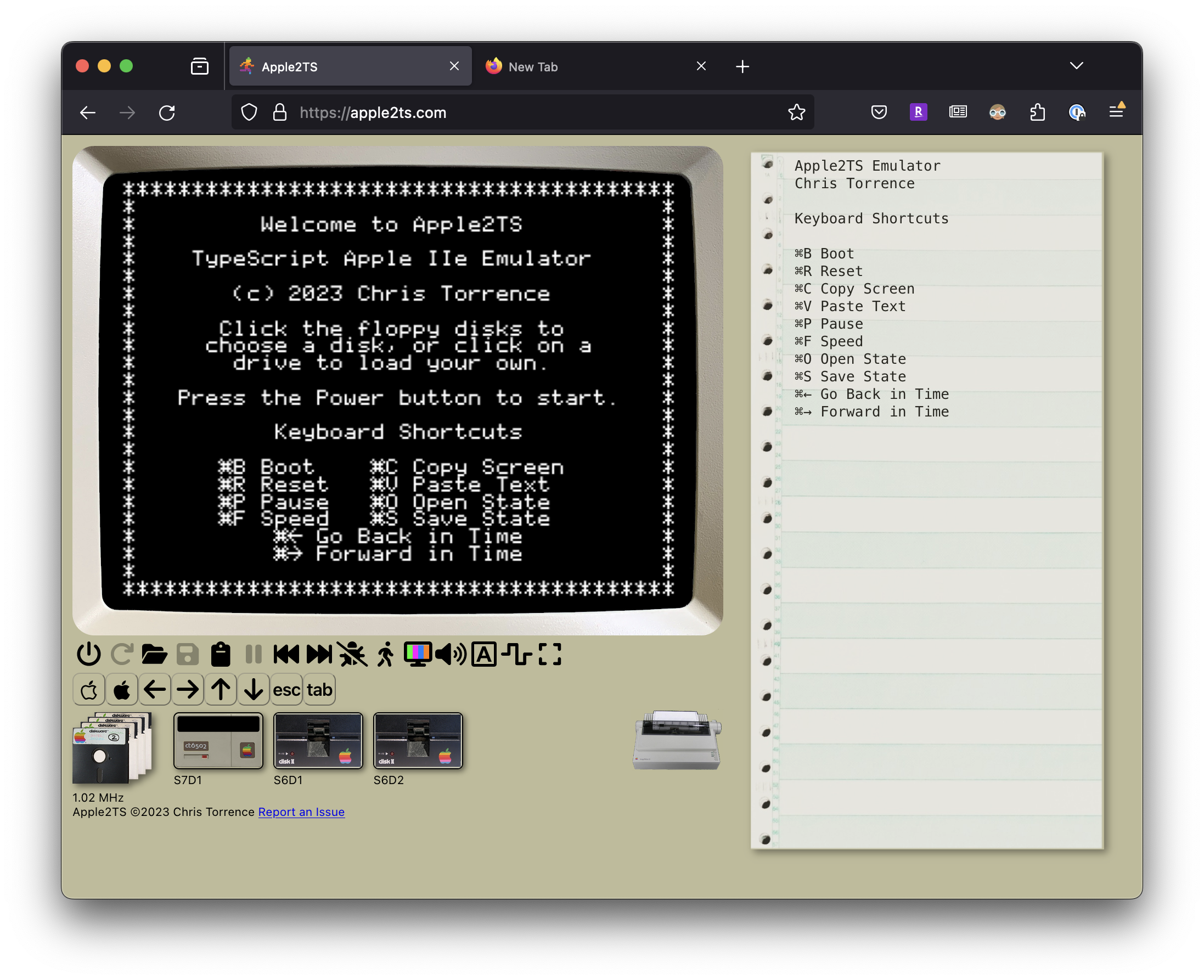
Apple2TS has an attractive, easy to understand interface, which includes a brief instruction sheet and a guided tour. There is support for two 5.25″ floppy drives, two hard drives, a Mockingboard, a mouse, a printer (either virtual, or directly to a real ImageWriter), RamWorks up to 8 MB, MIDI to real external devices, and No Slot Clock. The 65C02 CPU can be accelerated, and a debugger is available. The UI supports dark mode, which is a nice touch. You can select from a small library of provided disk images or upload your own. There are commands to copy the Apple II’s text screen to your host OS clipboard, as well as paste from your clipboard into the virtual Apple II. Disk drive sounds are recreated via samples.
Apple2TS also has a few unusual capabilities, such as the option to replicate the color fringes of Apple II hi-res graphics, and the ability to “go back in time”— effectively providing a quick undo and redo for your Apple II’s machine state, which can also be saved on-demand. Also, being a web-based emulator, you can specify what disks you want loaded, and how you want to configure the virtual Apple II, in the URL. The website is made to be a progressive Web app, meaning it can also operate outside of a Web browser as a standalone app on desktop or mobile devices.
Apple2TS is not without its issues, some of which are inherent to it running inside a Web browser, but these are substantially compensated for by providing onscreen buttons for keys a mobile screen can’t type. Though the interface is clear enough, Apple2TS would greatly benefit from full documentation, though a guided tour and onscreen cheat sheet get you some of the way there. I’d also like to have NIB disk image support. Despite these caveats, Apple2TS is a tremendous leap forward for Web-based Apple II emulators, and it is under active development; I eagerly await its fixes and improvements.
cyanIIde

- Platform: Web browser
- Models emulated: Apple IIe (E)
- Image support: DSK, PO, NIB, HDV, 2MG, WOZ
- Status: actively developed (second announcement August 6, 2022; closed source)
- Author: Paleotronic
- Available from: https://paleotronic.com/cyaniide
cyanIIde (pronounced “cyanide”) is a Web-based emulator by the makers of the microM8 emulator. It is hosted on the Paleotronic website, but is primarily intended for embedding Apple II programs on one’s own website, though documentation for doing so is sparse. cyanIIde is notable for having cycle-accurate video rendering, joystick support, and printer emulation, plus unique Applesoft and assembly language editors, in a Web browser. cyanIIde appears to offer a high quality of emulation, which is impressive considering the limited environment, but not a lot of features, at least via its user interface. You can insert disk images, and that’s about it. Mobile device users will need a physical keyboard for input. cyanIIde is probably not the most flexible Web-based emulator available for everyday use, but is pretty cool if you want to embed an Apple II on your Web site. Due to being written in WebAssembly, cyanIIde may not work in every browser.
Other Apple II Emulators
A few other Apple II emulators meet our inclusion criteria, though they lack essential features or support.
AccurApple
- Platform: Linux
- Models emulated: Apple II Plus, IIe (U), IIe (E)
- Image support: DSK, PO, WOZ
- Status: actively developed (v1.6.2 released August 4, 2024)
- Author: Stéphane Champailler
- Available from: https://gitlab.com/wiz21/accurapple
Accurapple, first released in 2022, is an 8-bit Apple II emulator for Linux users that is oriented towards single-disk 5.25” floppy game titles, with an extensive debugger for Apple II machine language programmers. The traditional emulator feature set is lacking, with this title covering the basics of a single-floppy enhanced Apple IIe with Mockingboard; on the plus side it has very accurate 5.25” disk emulation when used with WOZ disk images. Notable features are extensive controls for adjusting the simulated CRT display, and integration with MobyGames for downloading game cover art (though, as of this year, obtaining the required MobyGames API key is no longer free). This emulator must be compiled from its Rust source; precompiled binaries are not available. I observed display problems when I built on macOS; Linux looked ok, but I had an issue with being unable to resize its default too-large window. I have a hard time specifically recommending Accurapple due to its limited virtual storage support and lack of ready-to- run binaries, but technically-oriented Apple II game players on Linux may wish to check it out.
ApplePi

- Platform: Linux
- Models emulated: Apple II, II Plus, IIe (U), IIe (E)
- Image support: DSK, PO, HDV, 2MG
- Status: actively developed (v0.2.3 released February 9, 2022)
- Author: Bruce Ward
- Available from: https://github.com/FZBunny/applepi
ApplePi is an 8-bit Apple II emulator for Linux users, with floppy and hard disk emulation capabilities, a robust debugger, and a clean graphical user interface. It has very limited virtual peripheral support. While designed for use with a Raspberry Pi, ApplePi works well with any Debian or Ubuntu type system. (Note that this emulator is unrelated to the Apple II Pi project.) Unfortunately, ApplePi does not support disk images in WOZ or NIB format, nor 13-sector disks, and it equips all emulated machines with a 65C02, even if the real hardware came with a 6502, which could reduce compatibility with some earlier software. Despite these concerns, ApplePi is a simple and attractive emulator if you just need to cover the basics.
Clock Signal (Apple II modules)
- Platform: macOS
- Models emulated: Apple II, II Plus, IIe (U), IIe (E)
- Image support: DSK, PO, NIB, HDV, 2MG, WOZ
- Status: actively developed (v2024-10-19 released October 19, 2024)
- Author: Tom Harte
- Available from: https://github.com/TomHarte/CLK/releases
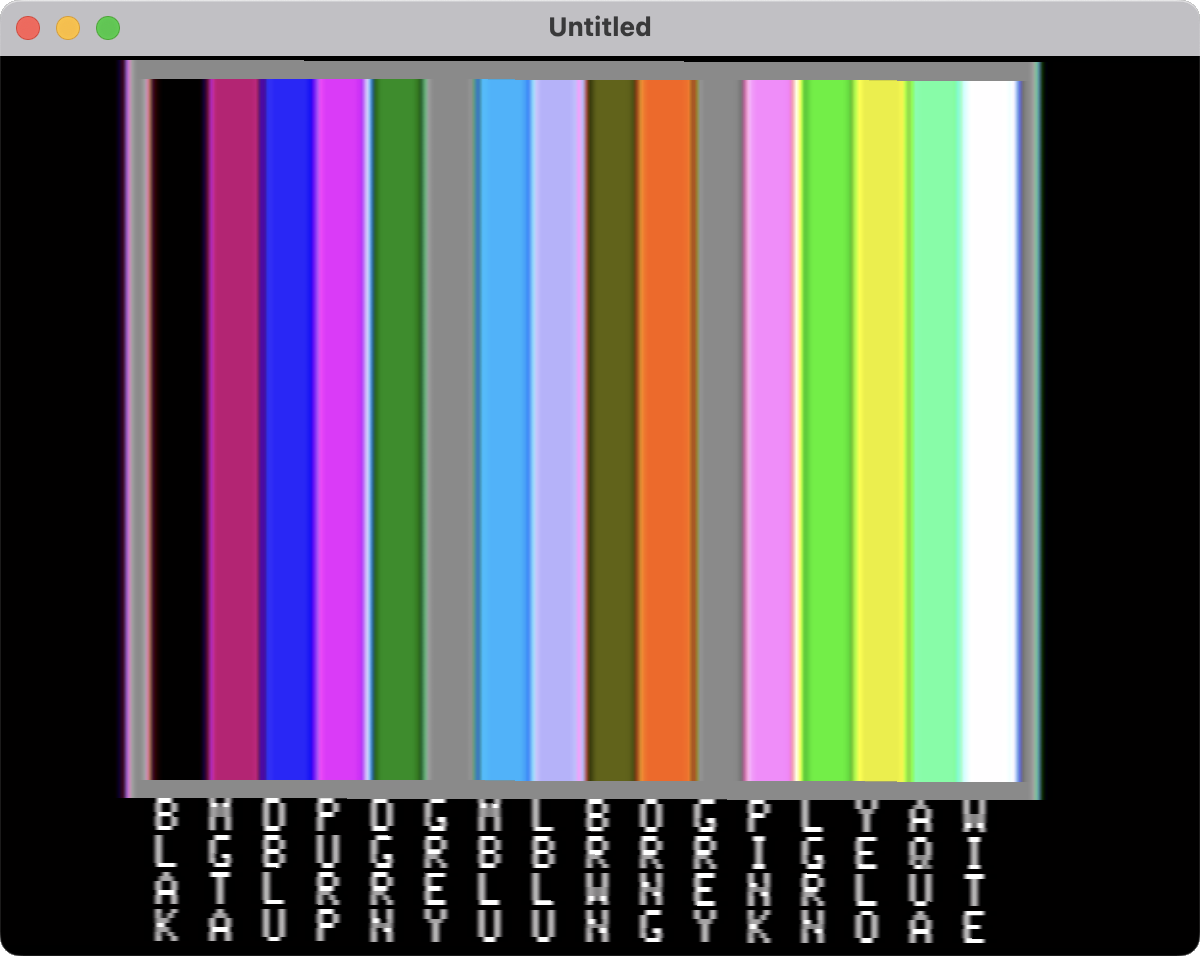
Clock Signal (Apple II modules), by Tom Harte, is a “latency-hating” multi-machine emulator for macOS that first gained Apple II support in 2018. It is dedicated to responsive performance and extremely accurate analog video and audio emulation across a wide variety of vintage machines (and its recreation of an Apple II’s appearance on a fuzzy CRT is indeed remarkable). However, this emulator badly needs a manual or a more interface with discoverable commands; its minimalist “it just works” design ethos ironically renders usage opaque, and the full feature set unknown — I can’t even figure out how to press reset, and nor am I clear why, when double clicking a disk image, this emulator defaults to an unenhanced Apple IIe, which many software titles won’t run on. As an 8-bit Apple II emulator with two floppy drives, a hard drive, a Mockingboard, and very faithful lo-fi CRT simulation, Clock Signal works, but with more versatile and understandable Apple II emulators available, it is not my first choice.
JACE
- Platform: macOS (Intel, runs in translation on Apple silicon)
- Models emulated: IIe (E)
- Image support: DSK, PO, NIB, HDV, 2MG
- Status: actively developed (v3.0 released July 7, 2024)
- Author: Brendan Robert
- Available from: https://github.com/badvision/jace/releases
JACE is a full featured Apple IIe Enhanced emulator, with a straightforward interface, for Windows and macOS (and probably Linux), which had not been updated in many years. In 2024, JACE was modernized to no longer require that the user install Java, instead providing it within the program. It takes quite a long time to open on an Apple silicon based Mac, because no ARM version is provided. Peripheral cards can be freely installed into any slot. JACE has some uncommon options, such as a Passport MIDI interface (“for Ultima V”), and a Hayes Micromodem II. Other features include a simple development environment for writing BASIC and 6502 assembly code using the host OS, and a “cheat” function for observing memory changes. There are some rough edges, such as buttons and menu commands that don’t operate; and WOZ disk images are unsupported. Now that JACE has been made current, hopefully new features and fixes will be added; but I don’t have a compelling reason to suggest it over other emulators.
The unreviewed
There are many Apple II emulator projects I chose to exclude because, as of December 2024, they were (or are) not yet released, or require specialty hardware, or aren’t functionally complete, or require building from source code on non-Linux systems, or they don’t emulate an enhanced Apple IIe or IIGS, or I just haven’t gotten around to them. Still, their authors have put effort into them, and these titles each have their own focus and qualities, and hopefully they will blossom into great Apple II emulators.
These emulators were excluded because, as of late 2024, they do not emulate at least an enhanced Apple IIe or Apple IIGS: 8bitworkshop.com, Bobbin, Epple ][, Reinette II Plus Dot Py.
These emulators were excluded because, as of late 2024, they have not yet had a formal release, or have not had a formal release since 2010, or require building from source on non-Linux platforms: XGS.
These emulators were excluded because, as of late 2024, their most recent releases do not run on current versions of major operating systems: Aiie!, pico-iie, Sweet16.
These emulators were excluded because, as of late 2024, their most recent release has noteworthy bugs or missing features: Steve ][.
This emulator were reviewed for the first time in the December 2025 issue of Juiced.GS: apple2emu. These emulators received reviews covering updates since 2024: Apple2TS, microM8, Virtual II plus brief update mentions for several other titles above; new exclusions are also listed.